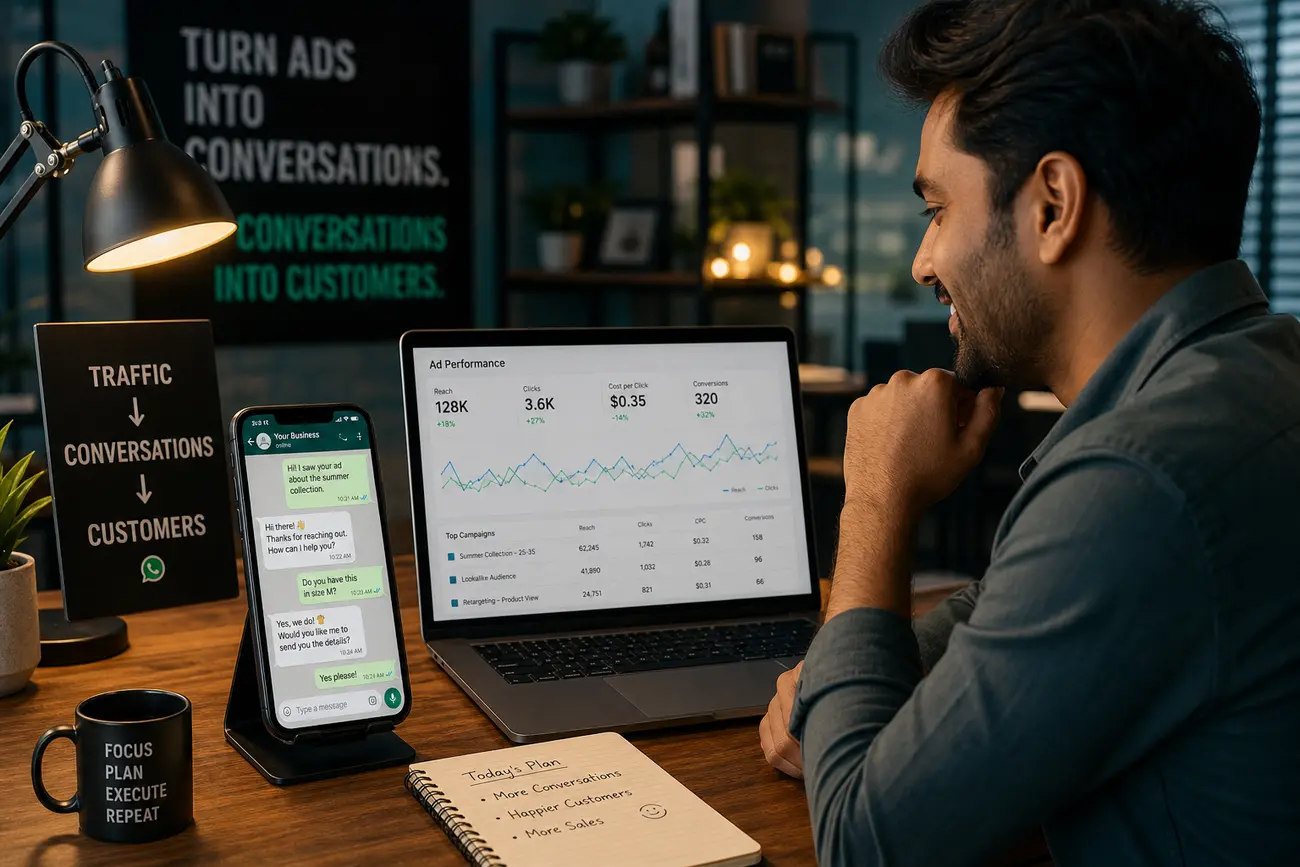
WhatsApp website integration closes the costly gap between ad clicks, website forms, CRM records, and sales conversations. Instead of treating paid campaigns, landing pages, forms, and WhatsApp chats as separate channels, this guide shows you how to build one fast lead-response system that captures context, routes inquiries, and helps your team follow up before a hot lead goes cold.
What WhatsApp Website Integration Means for Lead Follow-Up
WhatsApp website integration means connecting your website’s lead capture points with WhatsApp, tracking tools, your CRM, and follow-up workflows. In practice, that can include website forms, click-to-WhatsApp buttons, landing page tracking, CRM contact creation, automated acknowledgments, sales notifications, and logged conversation history.
For SMBs running paid ads, speed-to-lead is critical. A visitor who clicks an ad, lands on a service page, and asks a question on WhatsApp is often comparing options right now. If your team replies hours later, the lead may already have booked with a competitor. The goal is simple: ad click, website visit, form submission or WhatsApp chat, CRM record, and timely follow-up in one connected flow.
It is also important to separate common WhatsApp tools. A simple WhatsApp chat link opens a conversation. WhatsApp Web mirrors your inbox on a desktop browser. The WhatsApp Business App adds small-business features such as labels and business profiles. A scalable WhatsApp Business API setup supports shared inboxes, automations, CRM sync, templates, and reporting for teams with higher lead volume.
Map the Lead Journey Before Connecting Tools
Before choosing software, map the full lead journey: ad click, landing page visit, form submission or WhatsApp click, qualification, CRM record, sales follow-up, and reporting. This makes the integration easier because every tool has a clear job. Your website captures intent, WhatsApp starts the conversation, the CRM stores the relationship, and your team manages the next step.
Look for the places where leads currently get lost. Common problems include slow replies, manual copy-paste between WhatsApp and spreadsheets, missing campaign source data, duplicate CRM records, and no way to connect closed sales back to the ad that created the lead. A good whatsapp website integration should reduce these leaks, not simply add another chat button.
Capture the fields that help sales respond intelligently: name, phone number, email, service interest, message, page URL, UTM parameters, campaign source, and consent. Then create separate flows for high-intent leads, support questions, repeat customers, and low-quality inquiries. A pricing-page lead from a paid campaign should not be handled the same way as a general support question from an existing customer.
How to Add WhatsApp to Your Website Without Breaking the User Experience
Add WhatsApp where visitors are ready to talk, not everywhere indiscriminately. Effective placements include landing page hero sections, pricing pages, service pages, contact pages, product pages, and thank-you pages after a form submission. A floating chat widget can work well, but it should not cover important buttons or interrupt mobile browsing.
A basic click-to-WhatsApp link uses your phone number and an optional pre-filled message. For example, the message can say, “Hi, I’m interested in your website design package from the Google Ads landing page.” That small detail gives your team context before they reply. Strong whatsapp website integration uses these pre-filled messages to identify the product, campaign, language, or offer that triggered the conversation.
Many users search for terms like Web WhatsApp login, Web WhatsApp QR code, or Web WhatsApp Business. WhatsApp Web is useful for manual inbox access: you open web.whatsapp.com, scan the QR code from your WhatsApp app, and reply from a computer. But WhatsApp Web is not the same as full automation, CRM attribution, or scalable whatsapp business integration. For lead generation strategy beyond setup, see WhatsApp Marketing Lead Generation for Faster Follow-Up.
Connect Paid Campaigns to WhatsApp and Website Forms
Paid campaigns should pass tracking data into your website and lead forms. Use UTM parameters for source, medium, campaign, ad group, keyword, creative, or offer. When someone submits a form, those values should be saved with the lead. When someone clicks a WhatsApp button, the pre-filled message should identify the campaign or product wherever possible.
This is especially important for Google Ads, Meta Ads, and other paid channels because platform metrics can be misleading. Ad platforms may count clicks or conversions, but your business needs to know which campaigns produced qualified leads, booked calls, and revenue. The CRM is where attribution becomes commercially useful.
Send form submissions and WhatsApp leads into the same pipeline. Your sales team should not have to check a website inbox, a WhatsApp phone, an email account, and a spreadsheet to understand the day’s opportunities. Track meaningful events such as form submit, WhatsApp button click, qualified lead, booked call, proposal sent, and closed sale. That gives you a clearer view of cost per qualified lead and return on ad spend.
Use WhatsApp Integration CRM Workflows to Respond Faster
WhatsApp integration CRM workflows help teams create or update contacts, assign new leads, trigger internal notifications, and log conversations automatically. When a visitor starts a WhatsApp chat from a landing page, the CRM should either create a new contact or update an existing one with the latest source, page, message, owner, and status.
Useful routing rules can be based on location, service type, lead value, language, or campaign source. For example, a high-budget lead from a “book a consultation” campaign can be assigned instantly to a senior salesperson, while a support request can go to customer service. Practical automations include an instant acknowledgment message, an internal sales alert, a follow-up reminder, a no-response sequence, and a handoff to a human agent.
The CRM should store consent, conversation history, lead status, owner, source, and next step. The best whatsapp integration crm setup reduces repetitive admin work without pretending every conversation should be fully automated. People still want human answers for pricing, trust, objections, and final decisions.
Choose the Right WhatsApp Business Integration Setup
There are three common levels. The WhatsApp Business App is a good starting point for very small teams because it provides a business profile, labels, quick replies, and basic messaging from a phone. WhatsApp Web gives desktop access by mirroring that inbox, which is convenient for manual replies but limited for tracking and automation.
A more advanced whatsapp business integration usually uses the WhatsApp Business Platform or API through an approved provider. This can support multiple agents, shared inboxes, CRM sync, approved message templates, reporting, and automated workflows. It also requires verified business details, proper setup, and compliance with WhatsApp’s messaging policies.
Upgrade when you have multiple agents, high lead volume, paid campaigns, missed replies, reporting gaps, or a need for automated follow-up. A smart approach is to start simple but choose tools that can scale. If your broader sales operation includes e-commerce or automated fulfillment, you may also find useful ideas in How to Manage an Online Store with AI Automation.
Measure, Optimize, and Keep the Flow Compliant
Once your whatsapp website integration is live, measure the numbers that matter: first response time, contact rate, qualified lead rate, booking rate, cost per qualified lead, and revenue by campaign. These metrics show whether the system is helping sales move faster or simply creating more noise.
Use call notes, WhatsApp conversation history, and CRM stages to diagnose issues. If leads are low quality, your ads or landing page may be attracting the wrong audience. If good leads are not booking, your response time, routing, or sales script may need work. A/B test landing page copy, WhatsApp button placement, pre-filled messages, and first-response scripts.
Compliance matters too. Tell users how their information will be used, capture consent where appropriate, avoid spam, respect opt-outs, and protect customer data. Also, never link another person’s WhatsApp account to your device without clear permission; questions like “How do I link my boyfriend’s WhatsApp to my phone?” involve privacy and consent. Use linked devices only for accounts you own or are explicitly authorized to manage. Review campaign performance, missed conversations, automation errors, and CRM data quality every week.
FAQ
How do I connect to WhatsApp Web?
Open web.whatsapp.com on your computer. Then open WhatsApp on your phone, go to linked devices, and scan the QR code shown on the computer screen. This connects your WhatsApp inbox to the browser for manual desktop use.
Where is the QR code for WhatsApp Web?
The QR code appears on web.whatsapp.com or in the WhatsApp desktop app before you link a device. If you are already logged in, you may need to log out or open WhatsApp Web in a new browser session to see the QR code again.
Can I use WhatsApp Web for business lead follow-up?
Yes, WhatsApp Web can work for manual replies, especially for a small business with low message volume. However, CRM-connected whatsapp business integration is better when you need routing, tracking, automation, shared inboxes, and campaign attribution.
How do I use WhatsApp Web on mobile?
For mobile, the WhatsApp app is the best option. If you need WhatsApp Web on a mobile browser, you can try requesting the desktop version of the site, but the experience is not ideal. For business workflows, use the app or a proper WhatsApp Business setup instead.
What is the difference between WhatsApp Web and WhatsApp Business integration?
WhatsApp Web mirrors your inbox so you can reply from a browser. WhatsApp Business integration connects WhatsApp conversations to systems such as website forms, CRMs, automations, templates, reporting, and sales pipelines.
What should happen after a website visitor clicks a WhatsApp button?
The visitor should enter a contextual chat with a pre-filled message, while your system captures the lead in the CRM, preserves campaign attribution, alerts the right salesperson, and triggers fast follow-up. That is the core value of whatsapp website integration.
Do Telegram account deletion questions affect WhatsApp website integration?
No. Telegram and WhatsApp are separate platforms. If you need to delete Telegram data permanently or delete a Telegram account, use Telegram’s official settings or account deletion page. Deleting the Telegram app usually does not delete the account itself, and account deletion normally requires access to the account or a verification code. People delete Telegram accounts for privacy, inactivity, or switching platforms, but it is unrelated to WhatsApp lead follow-up.
Share Article
Your Digital Edge, Fully Automated
Spin up a cutting-edge website in minutes and preview it free - no signup, no credit card. Then keep growing it with MR.ROBOT's AI pipeline that writes, optimizes, and publishes SEO articles straight from your phone.
No signup. No credit card. You only pay when you love the result.