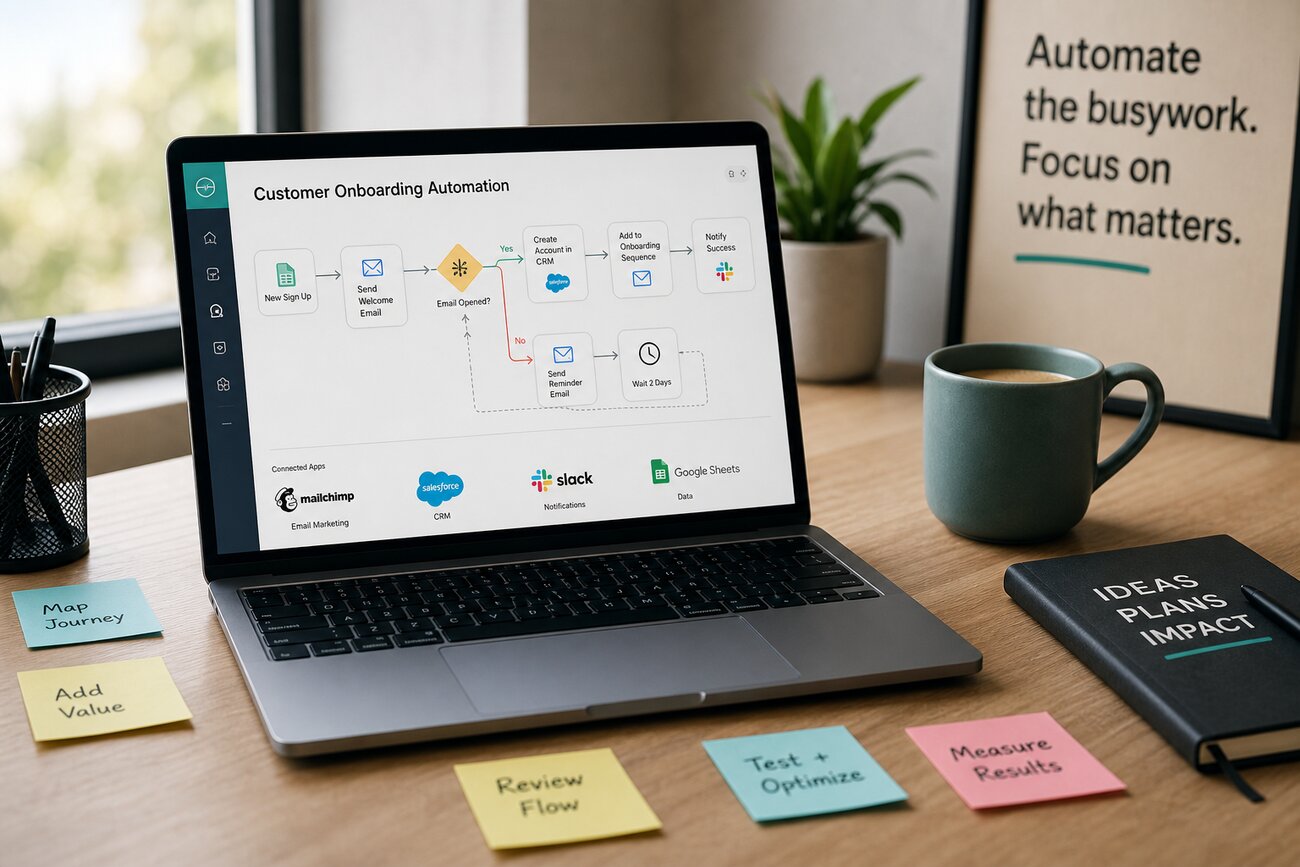
Small businesses do not need a massive software team to save time online. With the right mix of website automation, web scraping, smarter publishing tools, and simple testing, a lean team can build faster, learn faster, and stop wasting hours on repetitive work.
Website Automation as a Cost-Saving System, Not Just a Tech Project
Website automation is not one single tool. It is a spectrum of practical improvements that reduce effort and increase output. At one end, you can build pages faster with a no code website builder. In the middle, you can collect public data automatically through web scraping. Further along, you can connect forms, emails, CRMs, alerts, dashboards, checkout flows, and testing tools so your website does more of the work for you.
Lean teams benefit most because every manual task has a real cost. If one person spends five hours a week copying competitor prices, updating product pages, checking stock, or exporting leads, that is time taken away from sales and customer service. Automation does not replace judgment. It removes the low-value steps that slow good judgment down.
The three areas to understand first are no-code website building, automated data collection, and conversion testing. Together, they help you launch faster, monitor the market, and improve the percentage of visitors who contact you, buy from you, or book a call.
Start with the Foundation: Choosing the Best Website Builder for Speed
Your website platform determines how quickly you can make changes. The best website builder for a small business is not always the one with the longest feature list. It is the one your team can actually use without waiting on a developer for every headline, landing page, product update, or form change.
A no code website builder reduces build time because it lets non-technical staff create and edit pages using visual tools. That matters when you need a new offer online by Friday, not next month. Speed also supports testing: if you can change a page quickly, you can improve it quickly.
When comparing platforms, look at five practical criteria. First, ease of editing: can your team update content confidently? Second, mobile responsiveness: do pages look good on phones without extra work? Third, integrations: does it connect to your email platform, CRM, analytics, payment tools, and scheduling software? Fourth, checkout: if you sell online, can customers buy with minimal friction? Fifth, scalability: can the platform grow as your traffic, content, and product range expand?
The best website builder should help you move from idea to published page with fewer handoffs. If every small edit requires a support ticket, your “simple” website will quietly become expensive.
What Is Website Scraping Used For?
Website scraping is used to automatically extract public information from websites for analysis, monitoring, or workflow automation. Instead of copying and pasting information into a spreadsheet, a scraper collects structured data such as prices, product names, ratings, dates, availability, or business details.
For small businesses, the use cases are often simple and valuable. A retailer might monitor competitor pricing once a day. A service business might check directory listings for new potential leads. A hotel, clinic, or venue might track availability changes across public pages. A local company might monitor reviews and ratings so complaints are spotted quickly. A sales team might enrich leads with publicly available company information before outreach.
The value is not just the data. The value is what happens next. Scraped information can feed a dashboard, update a CRM, trigger an email alert, or create a task for a team member. That turns scattered public information into something your business can act on.
Is Web Scraping Illegal? The Practical Risk Checklist
Web scraping is not automatically illegal. The risk depends on what data you collect, how you access it, and what you do with it. A small business checking public product prices faces a different risk profile from a company collecting personal data at scale or bypassing protected systems.
Use a practical checklist before you scrape anything:
- Collect public data only.
- Avoid personal, sensitive, or regulated information unless you have clear legal grounds.
- Respect website terms, robots.txt guidance, and posted restrictions.
- Do not bypass logins, paywalls, CAPTCHAs, or technical protections.
- Do not overwhelm another site’s servers with aggressive request rates.
- Use the data in a fair, limited, and business-relevant way.
If you operate in finance, healthcare, recruitment, insurance, or another regulated industry, get legal advice before collecting data. The same applies if you plan large-scale scraping, international data collection, or anything involving personal information.
Can ChatGPT Create a Web Scraper, and Should a Small Business Use It?
Yes, ChatGPT can help create scraper code, explain scraping logic, suggest libraries, and troubleshoot errors. It can be useful for drafting a simple script or helping a technical person move faster. But it does not remove the need for testing, maintenance, and compliance.
Websites change often. A scraper that works today may break next week when a page layout changes. You also need to check whether the collection method is appropriate, whether the data is accurate, and whether your use of that data is acceptable. Treat AI as an assistant, not a replacement for responsibility.
If you do not have a developer, consider non-developer options first. Browser-based tools can capture information from pages you visit. Scraping platforms provide hosted collection, scheduling, and exports. Data connectors can pull from approved APIs or marketplaces. For many small businesses, these options are safer and easier than maintaining custom code.
What Are the 4 Types of Scrapers?
There are four common types of scrapers, each with different tradeoffs.
- Browser-based scrapers: These run in or alongside your browser. They are often easiest for non-technical users and good for occasional tasks, but they may not be ideal for high-volume collection.
- API-based scrapers: These use official or semi-structured data access points when available. They are usually cleaner and more reliable, but not every website offers an API or the data you need.
- Cloud scraping platforms: These services run scraping jobs online, schedule collection, handle exports, and sometimes manage proxies or page rendering. They cost more than basic tools but reduce operational hassle.
- Custom-coded scrapers: These are built for your exact use case. They offer the most flexibility, but require technical skill, testing, monitoring, and maintenance.
Choose based on budget, frequency, and skill. For a monthly competitor check, a browser tool may be enough. For daily monitoring across hundreds of pages, a cloud platform or custom build is usually better.
Turn Website Data into Action with Workflow Automation and Testing
Data only becomes useful when it changes what your team does. Connect collected information to alerts, dashboards, CRMs, email tools, or task managers. For example, a price change can trigger a Slack alert. A new review can create a support task. A qualified lead can flow into your CRM with notes attached.
The same mindset applies to conversion improvement. Once your site is easy to edit, you can run A/B tests on headlines, offers, pricing pages, and calls to action. Heatmaps can show where visitors click or stop scrolling. Form tracking can reveal where leads abandon the process. A no code website builder makes these improvements easier because marketing changes do not have to wait in a development queue.
A simple roadmap works well: launch the core pages, collect the right data, automate repetitive steps, test important changes, and measure results. The goal is not to automate everything. The goal is to build a website system that saves time, supports better decisions, and helps more visitors become customers.
Share Article
Your Digital Edge, Fully Automated
Spin up a cutting-edge website in minutes and preview it free - no signup, no credit card. Then keep growing it with MR.ROBOT's AI pipeline that writes, optimizes, and publishes SEO articles straight from your phone.
No signup. No credit card. You only pay when you love the result.