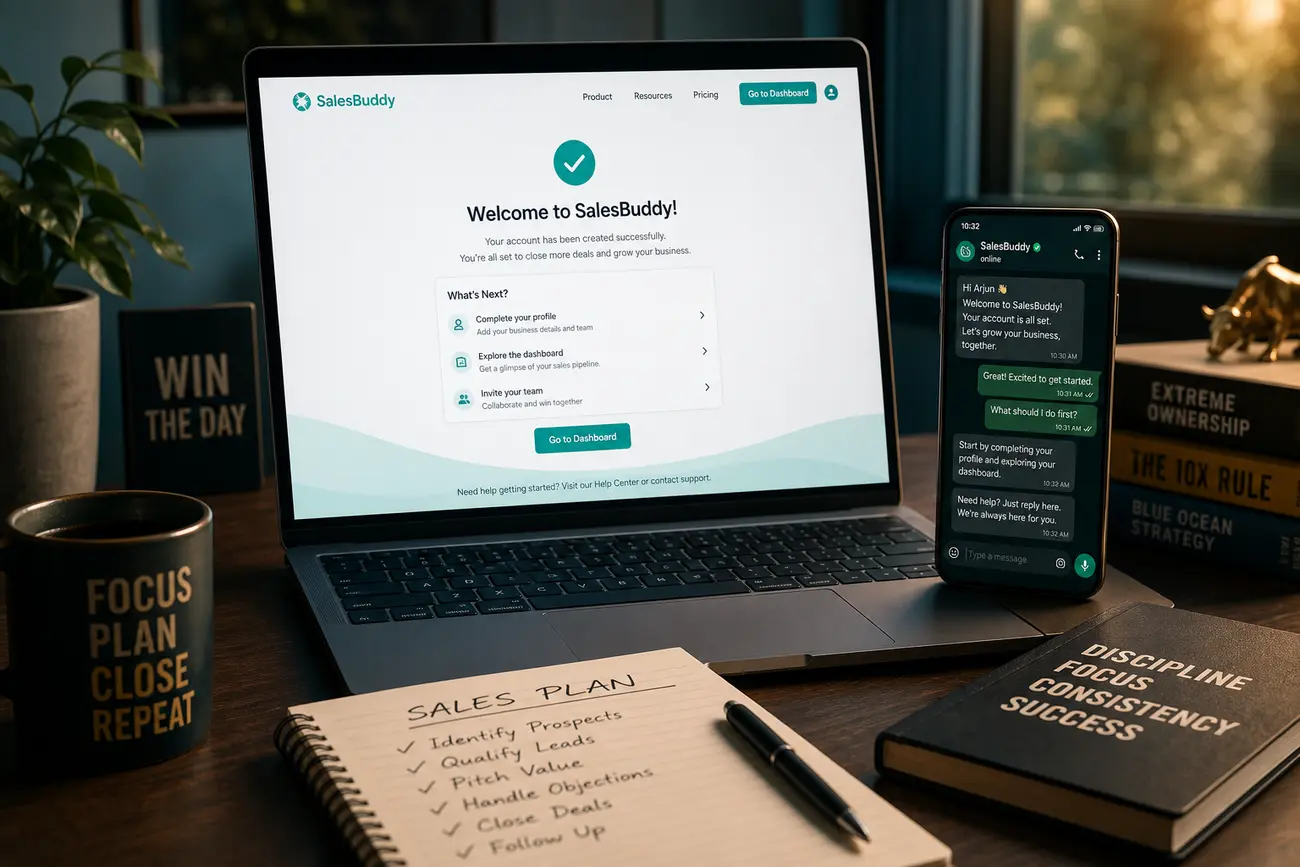
A latex thanks page should never be treated as a basic confirmation screen. The moment someone submits a form, they are paying attention, waiting for direction, and often ready to take the next step—so this page can become your fastest path from inquiry to qualified sales conversation.
Why your thank-you page should not be the end of the funnel
Most businesses use a thank-you page to say, “We received your request.” That is necessary, but it is not enough. A visitor who has just completed an html form has already shown intent, shared information, and given you permission to continue the conversation. This is peak attention.
A well-designed latex thanks page acts as a qualification, routing, and sales-enablement asset. It confirms the submission, builds trust, identifies urgency, and directs the lead toward the most useful next action: booking a call, starting a WhatsApp chat, completing preferences, or reviewing relevant proof.
Even a simple campaign-specific confirmation page can produce more pipeline when it is intentional. The goal is not to add more noise; it is to remove uncertainty and help the right leads move faster.
The core elements of a high-converting latex thanks page
Start with a clear confirmation message. The lead should immediately understand that their request was received and that nothing is broken. Avoid vague copy; tell them exactly what happened and what they should expect next.
- Confirmation: “Your request has been received.”
- Expectation setting: who will contact them, through which channel, and how soon.
- Primary CTA: “Book a call,” “Message us on WhatsApp,” or “Complete your preferences.”
- Trust builders: short testimonials, logos, security statements, guarantees, or a relevant case-study result.
Keep the latex thanks page focused on one primary action. If every button has equal weight, the lead has to decide what matters. Your job is to guide them. If your next step depends on the traffic source, review how your ads, keywords, and pages align in How to Match Ads, Keywords, and Landing Pages for More Leads.
Use the thank-you page to qualify leads before the sales call
The thank-you page is ideal for progressive profiling: asking for a little more information after the initial conversion instead of making the first form too long. Add two to five low-friction questions about budget, timeline, company size, use case, or urgency.
For example, an html form on the latex thanks page can ask: “When do you want to start?”, “What is your approximate budget?”, or “Which service are you most interested in?” These answers can be passed into your CRM or email automation workflow with hidden UTM fields, lead source, campaign ID, and form submission data.
Segment responses into high-intent, medium-intent, and low-intent paths. High-intent leads should see a calendar or WhatsApp CTA immediately. Medium-intent leads may get a consultation prompt plus proof. Low-intent leads can receive educational content until they are ready.
Turn the page into a WhatsApp and booking engine
WhatsApp works well after conversion because it feels immediate, personal, and easier than writing an email. A click-to-chat CTA with prefilled text removes friction: the lead does not need to decide what to say.
Place the booking option above the fold for people who are ready to talk now. A strong latex thanks page might say: “Want a faster response? Book a 15-minute call or message us on WhatsApp with your project details.” Use urgency carefully: “Priority slots this week” is reasonable if true; fake scarcity damages trust.
Track each action separately: WhatsApp clicks, calendar bookings, phone taps, qualification-form completions, and content downloads. Speed matters after submission, so pair this page with a strong follow-up process like the one described in Improve Lead Conversion With Faster Lead Follow-Up.
Technical implementation: html form, collapsible sections, and clean UX
Keep the structure lightweight, fast, and mobile-first. The primary CTA should be visible quickly, the message should be easy to scan, and the qualification form should not feel like a second full application.
Use an html form to collect extra answers, hidden UTM parameters, and attribution data. This helps sales understand where the lead came from and what they need before the first call. If the page includes pricing guidance, eligibility details, FAQs, or comparison information, collapsible sections can reduce visual clutter.
In HTML, collapse usually means hiding and revealing content on demand. A native no-JavaScript pattern uses <details> and <summary>. For example:
<details>
  <summary>What happens next?</summary>
  <p>Our team will review your request and contact you within one business day.</p>
</details>
You can also create an HTML collapsible list by placing a list inside that structure, or build an expandable table with JavaScript when users need to compare detailed options. HTML creates the structure—forms, headings, lists, and sections—while CSS controls how those elements look.
What to test on a thank-you page to improve sales-call quality
Do not judge the page only by click-through rate. The real question is whether the latex thanks page creates better conversations and more qualified opportunities.
- CTA hierarchy: WhatsApp first versus calendar first versus qualification form first.
- Copy angle: speed, expertise, outcomes, exclusivity, or reassurance.
- Form length: short qualification form versus more detailed intake.
- Trust assets: reviews, case studies, customer logos, or founder videos.
- CRM outcomes: booked calls, show-up rate, qualified pipeline, and closed revenue.
If traffic volume is low, test meaningful changes rather than tiny copy tweaks. A better routing strategy can matter more than a different button color.
Mistakes that make a thanks page leak revenue
The biggest mistake is a dead-end message: “Thanks, we’ll be in touch.” That leaves the lead waiting and gives competitors time to respond first. Give every serious prospect a useful next step.
Do not ask too many qualification questions or repeat information already submitted. Do not bury the booking CTA below long copy, multiple offers, or generic content. And do not send every lead to the same next step if their urgency, fit, or source is different.
An nws thanks page, campaign thank-you page, or product-specific confirmation page should match the visitor’s intent. Someone from a high-intent search ad may need a call now; someone downloading a guide may need education before sales outreach.
FAQ
How do I collapse text in HTML?
Use the native <details> and <summary> elements. The summary is the clickable label, and the content inside the details element opens and closes without JavaScript.
How can I create a collapsible list in HTML?
Place the list inside a <details> element and use <summary> as the visible label. This is useful for FAQs, next-step instructions, or extra qualification guidance on a latex thanks page.
What is collapse in HTML?
Collapse in HTML usually refers to content that is hidden until the user chooses to reveal it. It can be handled with native HTML, CSS-assisted patterns, or JavaScript.
How to make a collapsible table in HTML?
For a collapsible table, use JavaScript or an accessible CSS-assisted pattern to toggle table rows. Keep headings clear so users and assistive technologies can still understand the data.
Can you make a collapsible section in HTML?
Yes. The native <details> and <summary> tags create a collapsible section without JavaScript, making them a simple option for clean thank-you page UX.
What do HTML and CSS do?
HTML structures page content such as headings, paragraphs, links, and forms. CSS controls visual presentation, including colors, spacing, layout, typography, and responsive behavior.
What is the difference between CSS and HTML?
HTML defines what the page contains; CSS defines how it looks. For example, HTML creates an html form, while CSS makes that form easy to read and use on mobile.
Is it still worth learning HTML and CSS in 2026?
Yes. HTML and CSS remain essential for building, editing, and optimizing web pages, including landing pages, thank-you pages, forms, and conversion flows.
How do I learn HTML and CSS?
Start with page structure, headings, links, forms, CSS selectors, spacing, and responsive layouts. Then build small projects, such as a latex thanks page with a form, CTA, and collapsible FAQ.
Share Article
Your Digital Edge, Fully Automated
Spin up a cutting-edge website in minutes and preview it free - no signup, no credit card. Then keep growing it with MR.ROBOT's AI pipeline that writes, optimizes, and publishes SEO articles straight from your phone.
No signup. No credit card. You only pay when you love the result.