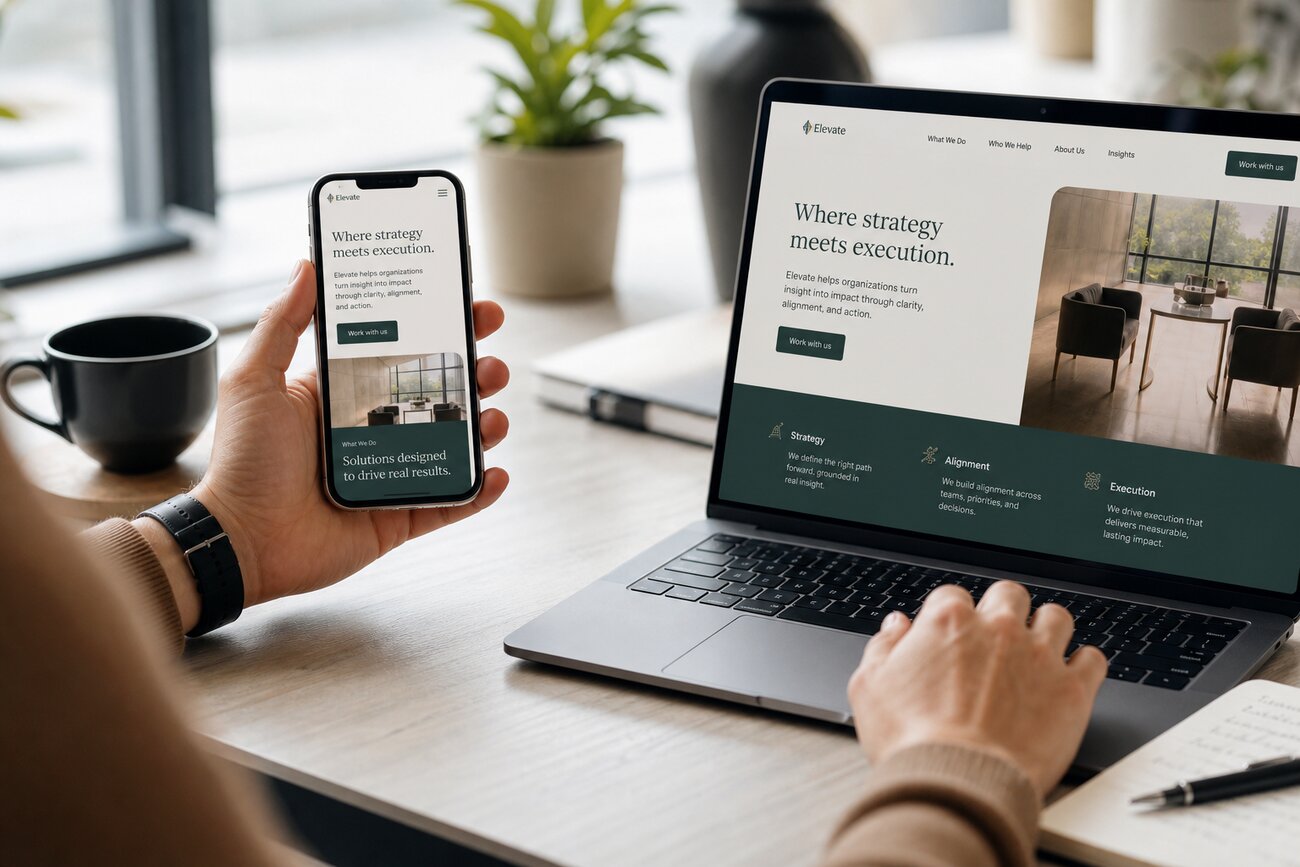
An existing site can look modern on a laptop and still fail as a mobile friendly website. The goal is not simply to resize pages for smaller screens. The goal is to help phone users find what they need, trust your business, contact you, book, buy, or request a quote with less effort.
Why a Mobile Friendly Website Is a Growth Issue, Not a Tech Checkbox
Most customers now discover and evaluate businesses from their phones. They search while commuting, compare options during lunch, check reviews outside your door, and fill out forms after business hours. If your mobile experience is slow, cramped, or confusing, those visitors do not wait. They leave and choose a competitor.
Mobile optimization affects revenue through three practical levers: conversion rate, bounce rate, and search visibility. A better mobile website design can turn the same traffic into more calls, bookings, quote requests, and sales. A poor experience does the opposite by leaking potential customers before they act.
Think of mobile problems as sales funnel leaks. A desktop site may look acceptable, but phone users may face slow pages, tiny buttons, hard-to-read text, long forms, or menus that hide important services. Each problem lowers trust and increases friction. Fixing those issues is not a design preference. It is a revenue improvement project.
Start With Mobile Revenue Data Before Changing the Design
Before changing layouts or hiring a designer, review your analytics by device type. Compare mobile and desktop traffic, bounce rate, time on page, form submissions, calls, purchases, and booking completions. If mobile brings 65% of visits but only 30% of leads, you have a clear growth opportunity.
Identify high-value mobile pages first. These are usually service pages, product pages, pricing pages, booking pages, contact pages, and checkout pages. Do not waste the first round of work polishing low-traffic blog posts if your quote form is failing on phones.
Look for warning signs such as high mobile bounce rates, low mobile form submissions, short mobile sessions, or a big gap between desktop and mobile conversion rates. Then set baselines. Record current mobile traffic, lead volume, conversion rate, page speed, and revenue where possible. Baselines help you prove whether mobile website design changes actually improved business results.
Mobile Website Design Principles That Directly Impact Conversions
Good mobile website design starts with thumb-friendly navigation. Menus should be simple, tap targets should be large, and the most important pages should be easy to reach in one or two taps. If users must pinch, zoom, or hunt, you are adding friction at the worst possible moment.
Place the primary call to action near the top of key pages. A plumber might use Call Now. A clinic might use Book an Appointment. A software company might use Request a Demo. The CTA should match the action that creates revenue.
Write for scanning. Use short headlines, short paragraphs, and clear sections. On mobile, long desktop copy often feels like a wall. Keep the strongest proof near the top: service area, core offer, reviews, guarantees, pricing signals, and next step.
Simplify forms. Ask only for what you need to start the sale. Enable autofill, use clear labels, and avoid tiny dropdowns when simple buttons work better. Make phone numbers, maps, chat, and appointment buttons easy to access without covering the main CTA. Effective mobile website design removes unnecessary decisions.
Improve Speed and Core Web Vitals to Protect Search Visibility
Mobile performance affects both user experience and organic search. A slow site frustrates visitors before they read your offer, and search engines use performance signals as part of the overall page experience. Speed is not only technical; it protects visibility and revenue.
Start with practical wins. Compress large images, serve modern image formats, remove unused plugins, minimize scripts, enable browser caching, and use reliable hosting. Many business sites lose seconds because homepage images are far larger than needed or because too many tracking tools and widgets load at once.
Slow loading creates a direct business cost. If a campaign sends 1,000 mobile visitors to a landing page and half leave before it loads, your ad budget is paying for missed opportunities. Aim for pages that load in about three seconds or less on common mobile networks.
Track Core Web Vitals: LCP for loading speed, INP for responsiveness, and CLS for visual stability. If buttons shift while someone is trying to tap, or the page freezes after loading, conversions suffer. Speed work should be part of your mobile website design plan, not a separate afterthought.
How to Test Website on Mobile Like a Customer, Not Just a Developer
Do not only check whether the site passes a responsive test. Create a repeatable workflow to test website on mobile the way real customers use it. Test on iPhones and Android phones, in Safari and Chrome, on strong Wi-Fi and slower mobile connections.
Use tools such as Google PageSpeed Insights, Chrome DevTools device mode, and Google Search Console mobile reports. These tools help find speed, layout, and indexing problems, but they do not replace human testing.
Walk through key customer journeys. Can someone find your services, compare options, submit a form, tap to call, get directions, book an appointment, or complete checkout? When you test website on mobile, look for slow loading, broken layouts, tiny text, overlapping buttons, confusing menus, and pop-ups that block the next step.
Ask non-technical people to test on real phones. Give them a task such as, Find emergency roof repair and request a quote. Watch where they hesitate. Their confusion is useful data. Repeat this process after each major change so you can test website on mobile before customers find the problem for you.
Common Mobile Optimization Pitfalls Businesses Overlook
The first pitfall is assuming a responsive template creates a high-converting mobile experience. Responsive means the layout adapts. It does not mean the page is persuasive, fast, simple, or easy to buy from.
The second pitfall is letting desktop content dictate mobile layout. A desktop page may support multiple columns, large banners, long comparisons, and extra navigation. On a phone, those same elements can push the CTA too far down and bury the reason to act.
Pop-ups and chat widgets are another common problem. If they block phone numbers, forms, or booking buttons, they reduce leads instead of creating them. Test every widget as part of your mobile website design review.
Many businesses also ignore mobile checkout and form usability. A checkout that works on a large monitor may be painful on a phone if fields are small, errors are unclear, or payment options are limited. Finally, do not test only on office Wi-Fi. Customers may be on weak cellular connections, and that is where hidden speed problems appear.
Turn Mobile Strategy Into Measurable Growth Outcomes
Define success metrics before and after optimization. Track mobile conversion rate, calls, form fills, bookings, purchases, cart abandonment, organic impressions, rankings, and revenue. The right metrics depend on your business model, but every metric should connect to leads, sales, or visibility.
Tie improvements to business goals. A local service company may want more phone calls from service pages. An ecommerce store may want fewer abandoned carts. A B2B company may want more demo requests. When goals are clear, mobile website design decisions become easier.
Run focused experiments instead of changing everything at once. Test a clearer CTA, a shorter form, a sticky call button, faster images, or a simplified checkout step. After each change, test website on mobile and compare results against your baseline.
Review mobile performance monthly. Search behavior, devices, browsers, competitors, and customer expectations keep changing. A mobile friendly website is not a one-time project. It is an ongoing growth system that helps your existing traffic produce more leads, sales, and revenue.
Share Article
Your Digital Edge, Fully Automated
Spin up a cutting-edge website in minutes and preview it free - no signup, no credit card. Then keep growing it with MR.ROBOT's AI pipeline that writes, optimizes, and publishes SEO articles straight from your phone.
No signup. No credit card. You only pay when you love the result.