Micro form automation helps you get more qualified enquiries from the visitors you already have by removing friction, building trust, asking smarter questions, and triggering faster follow-up. Many lead form problems are not traffic problems at all; they are hidden inside confusing fields, weak microcopy, poor validation, slow routing, and forms that collect information without helping the user move forward.
Why lead form optimization should start before a website redesign
A full website redesign can be useful, but it is often too slow, expensive, and broad when the real conversion leak is the lead form. Small changes to structure, copy, validation, trust signals, and routing can improve enquiry quality much faster than rebuilding every page.
The goal is not simply to increase total submissions. A form that doubles low-intent enquiries, spam, or unqualified requests can make sales teams less efficient. Better lead gen systems focus on getting the right people to complete the form with enough context for the business to respond well.
- High form starts but low completions: users are interested, but the form feels too hard or too risky.
- Vague enquiries: the form does not ask the questions needed to understand need, urgency, or fit.
- Duplicate leads and spam: validation and filtering are too weak.
- Slow sales response: submissions are not routed to the right person quickly enough.
If you are already reviewing conversion issues across a site, it can help to compare your form against broader conversion rate optimization tactics so you can prioritize the changes most likely to affect revenue.
Use micro form automation to reduce friction and qualify leads in real time
Micro form automation means small automated behaviours inside or immediately after a form that guide users, validate data, segment leads, and trigger the right follow-up. It is not about adding complicated workflows for their own sake. It is about making the form feel easier for the user while giving your team cleaner information.
Useful examples include conditional fields that appear only when relevant, hidden UTM capture, automatic lead scoring, calendar routing, instant confirmation emails, CRM assignment, duplicate detection, and alerts for high-value enquiries. In fast-form systems, these actions happen quietly in the background so the user experiences a smooth path rather than a long interrogation.
Micro form automation works best when it supports user intent. If someone wants pricing guidance, ask only what is needed to give useful guidance. If someone wants a consultation, route them toward a booking step or a clear next action. Automation should reduce uncertainty, not create extra hurdles.
Build a field structure that asks less but learns more
Start by separating essential fields from nice-to-have fields. Essential fields are the information required to respond, qualify, or route the enquiry. Nice-to-have fields may help sales, but they should not block a high-intent visitor unless they are truly necessary.
Use progressive disclosure to keep the first view simple. For example, if a visitor selects “enterprise implementation,” you might reveal company size, timeline, and integration needs. If they select “general question,” those fields may be unnecessary. This is where micro form automation can improve both completion rate and lead quality.
- Strong qualification fields: service need, budget range, timeline, location, company size, role, current system, and preferred contact method.
- Weak standalone qualification: one generic “Tell us more” box. Open text is useful, but it should not be the only way you qualify leads because answers become inconsistent.
Be precise with role, engineering, and industry fields
B2B lead gen systems often ask for job title, department, or industry. Use clear labels and normalize common variations so routing and scoring are reliable. If your form uses title examples, answer ambiguity directly:
- What does a Tech Lead do? A Tech Lead usually guides technical direction, reviews implementation decisions, supports engineers, and helps align delivery with business goals.
- How much do tech leads make? There is no universal figure; pay varies by country, seniority, company size, technology stack, and whether the role includes management duties.
- Is Tech Lead a real title? Yes, it is a real job title in many software and technology teams.
- Is a Tech Lead a manager? Sometimes, but not always. Some Tech Leads manage people, while others are senior individual contributors with technical leadership responsibilities.
- What is short for Engineer? Common abbreviations include “Eng.” and “Engr.” depending on the organization or region.
- Is it ENGG or Eng? “Eng.” is commonly used for engineer; “Engg.” is more often used as an abbreviation for engineering in some regions.
- Which is correct, Eng or ENGR? Both appear in practice, but the correct choice depends on your style guide. In forms, spelling out “Engineer” is usually clearer.
- Is ING short for Engineer? No, “ING” is not a standard English abbreviation for engineer.
- What is the abbreviation of industrial? “Ind.” is a common abbreviation, but the full word is clearer in qualification fields.
- What is the short form of industry? “Ind.” is sometimes used, but “Industry” is better for forms because it avoids confusion.
Write form microcopy that increases confidence at the point of hesitation
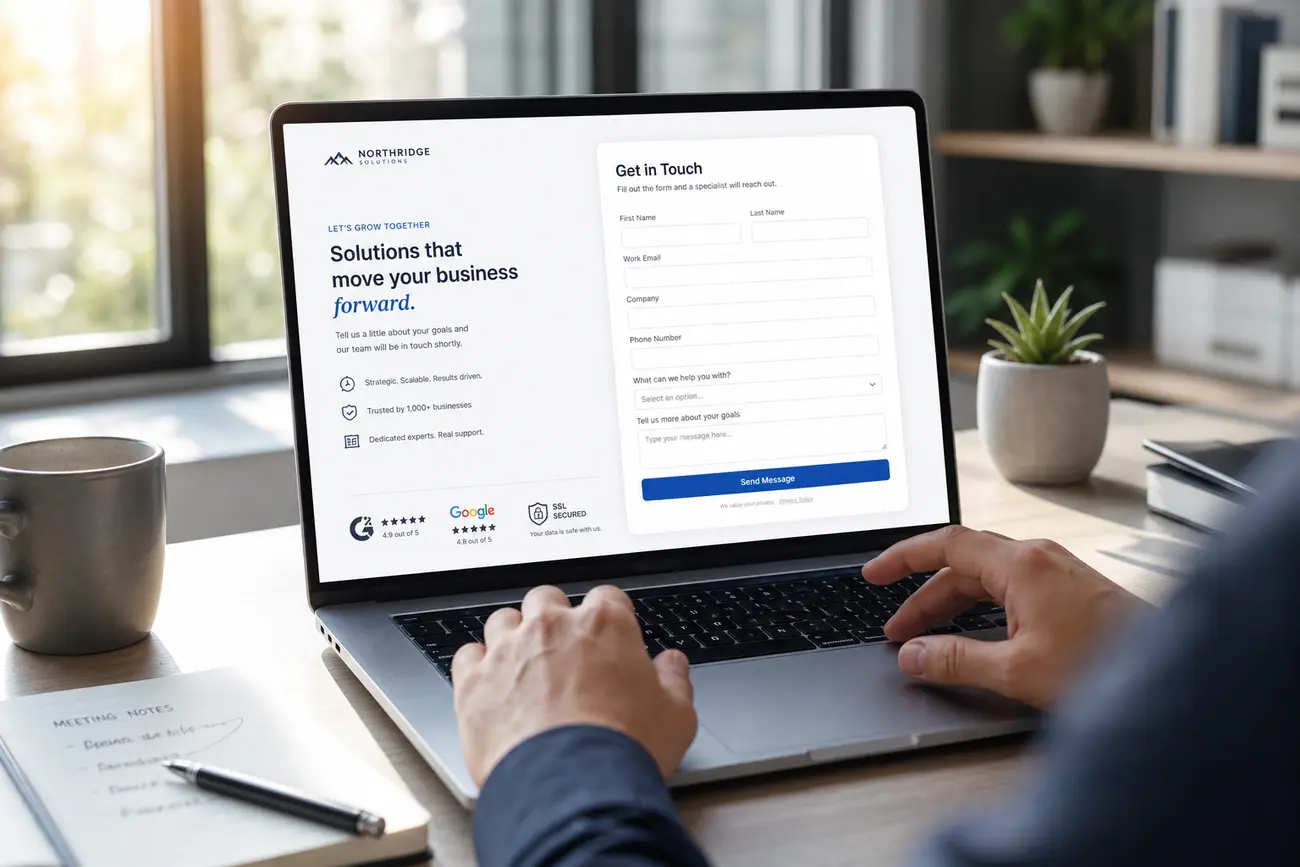
Form microcopy should answer the user’s quiet objections at the exact moment they appear. If you ask for a phone number, explain why. If you ask for budget, clarify that a range is enough. If you ask for a file upload, state what formats are accepted and whether the upload is secure.
Replace vague button text like “Submit” with outcome-focused calls to action such as “Get my consultation,” “Request pricing guidance,” or “Send my project details.” These labels remind users what they receive, not just what they give.
Set expectations near the button: who will contact them, how soon, and what happens next. A line such as “We’ll review your request and reply within one business day” can reduce hesitation without overexplaining.
Add trust signals exactly where conversion anxiety appears
Trust signals work best close to the form, not only on the homepage. Use client logos, short review snippets, certifications, secure upload reassurance, relevant guarantees, or a brief “no obligation” note near the fields that create anxiety.
For consultative or high-value enquiries, showing a human point of contact can make the form feel safer. A simple note such as “Your request goes to our strategy team, not a generic inbox” can make the experience feel more credible.
Avoid clutter. Too many badges, seals, and testimonial blocks can distract from completion. Choose the proof that answers the user’s most likely concern: trust, privacy, expertise, response time, or risk.
Make fast-form systems feel effortless on every device
Fast-form systems should feel especially simple on mobile. Use large tap targets, clear labels, minimal typing, autofill support, logical field order, and input types that match the answer required, such as email, phone, or number.
Inline validation should help users fix mistakes without losing progress. Do not wait until the final submission to tell someone their email format is wrong or a required field was missed. Error messages should be specific, visible, and written in plain language.
Performance also matters. Heavy third-party scripts, slow embeds, broken tracking, and unreliable form plugins can cost leads silently. Accessibility is part of optimization too: labels, keyboard navigation, contrast, and screen-reader-friendly error messages help more users complete the form correctly.
Connect lead gen systems to follow-up, scoring, and measurement
Lead form optimization does not end at submission. Response speed, assignment logic, and follow-up quality often determine whether an enquiry becomes revenue. A strong form should connect directly to the systems that help your team act.
Map each outcome to a next step. A high-fit lead might trigger a sales alert and booking link. A lower-intent enquiry might enter a nurture sequence. A poor-fit submission might receive a polite disqualification path. Micro form automation makes these actions consistent without requiring manual sorting.
- Track form behaviour: starts, field drop-off, completion rate, validation errors, and device performance.
- Track lead quality: fit, urgency, budget, source, booked calls, sales acceptance, and closed revenue.
- Track team performance: response time, routing accuracy, and follow-up completion.
Review both analytics and sales feedback. A higher conversion rate is useful only if the leads are worth pursuing. For a deeper diagnostic approach, use a sales audit checklist to connect form performance with the wider revenue process.
FAQ
What is micro form automation?
Micro form automation is the use of small automated form behaviours to reduce friction, qualify users, and trigger the right follow-up. Examples include conditional questions, hidden source tracking, lead scoring, CRM routing, confirmation emails, and booking links.
How can I get more qualified enquiries without increasing traffic?
Improve the form experience for the visitors you already have. Choose better qualification fields, use clearer microcopy, add trust signals near high-friction moments, validate inputs in real time, route leads quickly, and connect each submission to a relevant follow-up sequence.
How many fields should a lead form have?
A lead form should have only the fields needed to respond or qualify the enquiry. If extra information is useful but not always relevant, reveal those questions conditionally based on earlier answers instead of showing every field to every visitor.
Do shorter forms always convert better?
No. Shorter forms can increase submission volume, but they do not always improve lead quality. A better-structured form may ask a few more targeted questions and produce enquiries that are easier to route, prioritize, and close.
What should happen after someone submits a lead form?
The user should receive a clear confirmation, the lead should be routed to the right person or system, sales should be notified when appropriate, the CRM record should be created or enriched, and a relevant follow-up sequence should begin immediately.
Share Article
Your Digital Edge, Fully Automated
Spin up a cutting-edge website in minutes and preview it free - no signup, no credit card. Then keep growing it with MR.ROBOT's AI pipeline that writes, optimizes, and publishes SEO articles straight from your phone.
No signup. No credit card. You only pay when you love the result.