click to whatsapp ads meta campaigns can turn paid clicks into real conversations, but only if your website, forms, tracking, and WhatsApp follow-up work as one connected lead system. If you are paying for traffic from Facebook, Instagram, and search, then losing prospects between a landing page visit, a form submission, and an unanswered chat is one of the fastest ways to waste budget. This guide shows you how to connect each touchpoint into a measurable flow that captures more leads, improves response speed, and helps you see which campaigns actually create revenue.
Why your website, ads, and WhatsApp should work as one lead system
Most prospects do not move in a straight line. Someone may see an Instagram ad, click to a landing page, compare your offer, open a WhatsApp chat to ask one quick question, then submit a form later when they are ready. If each step is handled separately, your team sees fragments instead of one buyer journey.
Disconnected channels create practical problems: duplicate leads, missed messages, slow replies, poor attribution, and no clear understanding of which ad or page generated the sale. A person who submitted a form and also sent a WhatsApp message may be treated as two leads, while a hot conversation may never be logged in the CRM.
WhatsApp works well as the conversation layer because it reduces friction. For urgent services, consultations, local businesses, and high-consideration purchases, a quick chat often qualifies intent faster than an email-only workflow. When click to whatsapp ads meta campaigns, website forms, and CRM tracking are connected, your team can respond with context instead of starting from zero.
Build the foundation: website forms, tracking, and a clear WhatsApp conversion path
Start by deciding the primary action on each important page. A landing page should not ask visitors to call, email, download, subscribe, request a quote, and open WhatsApp all at once. Choose the action that best fits the offer: submit a form, start a WhatsApp chat, or request a quote.
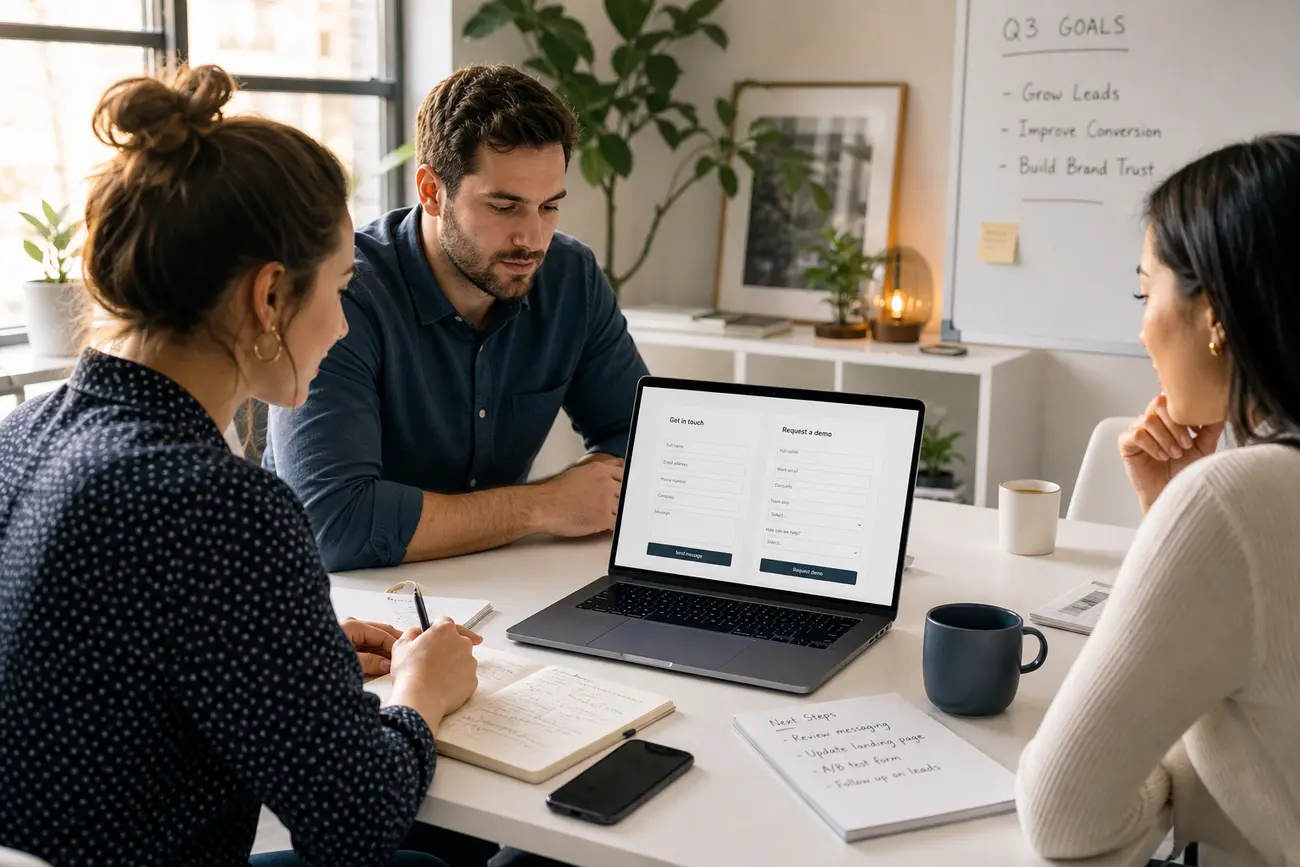
A short whatsapp form can improve lead quality before the conversation begins. Ask only for essentials: name, phone number, service needed, location, and urgency. If you ask too much too early, conversion rates usually suffer. If you ask too little, your sales team wastes time qualifying poor-fit inquiries.
Track form submissions, WhatsApp button clicks, and thank-you page visits with Meta Pixel, Google Tag Manager, and your CRM where possible. After a form is submitted, make the handoff explicit: “Our team will contact you on WhatsApp,” “We will call within business hours,” or “Check your email for next steps.” For a broader checklist, see how to build a lead generation website that converts.
How to create whatsapp link for your website and landing pages
A WhatsApp link lets visitors open a chat with your business from a button, text link, QR code, or mobile landing page. The standard format is https://wa.me/ followed by your full international phone number without spaces, plus an optional pre-filled message. For example, the message can say, “I’m interested in a quote” or “I came from your Meta ad.”
To preserve lead context, create different links for different pages or offers. A pricing page link can use one pre-filled message, while a product page, service page, or ad landing page can use another. This helps your team understand intent before replying and makes reporting cleaner.
If you are learning how to create whatsapp link structures for campaigns, keep the user experience simple: one clear button, a helpful pre-filled prompt, and a fast human response. For more examples, see Create WhatsApp Links That Turn Campaign Clicks Into Leads.
How click to whatsapp ads meta campaigns turn ad traffic into conversations
click to whatsapp ads meta campaigns are Facebook or Instagram ads that send users directly into a WhatsApp conversation with your business. Instead of pushing every prospect to a form, these ads invite people to ask questions, request pricing, book an appointment, or confirm availability in chat.
Use them when speed and trust matter: emergency services, clinics, real estate, automotive, education, home services, B2B consultations, and markets where WhatsApp is the preferred communication channel. The basic setup is to connect WhatsApp Business to Meta, choose a message-focused objective, write an opening message, and create ad creative that promises a fast, useful conversation.
Do not measure click to whatsapp ads meta performance by clicks alone. Track cost per conversation, response time, qualified lead rate, booked appointment rate, and revenue by campaign. Use campaign-specific opening messages so every chat shows which ad, offer, or audience produced the lead.
Connect WhatsApp Web and WhatsApp Business so your team can respond quickly
WhatsApp Web is used to send and manage WhatsApp messages from a desktop browser. This helps teams type faster, review customer context, copy details accurately, and handle more conversations during business hours. Yes, you can open WhatsApp in a web browser by using WhatsApp Web and linking it to your account from your phone.
The WhatsApp Web QR code appears on the WhatsApp Web login page. To connect, open the linked devices section in the mobile app and scan the QR code. WhatsApp also supports linked devices, so you can link another phone or device, but a business should control access carefully and remove devices that are no longer used.
Use WhatsApp Business when you need business profiles, labels, quick replies, away messages, and basic customer management. Use the desktop app or WhatsApp Web when your team needs faster day-to-day response. Assign chat owners, define response-time expectations, save common replies, and label conversations by stage such as new lead, qualified, proposal sent, or follow-up needed.
Create a trackable lead flow from first click to closed sale
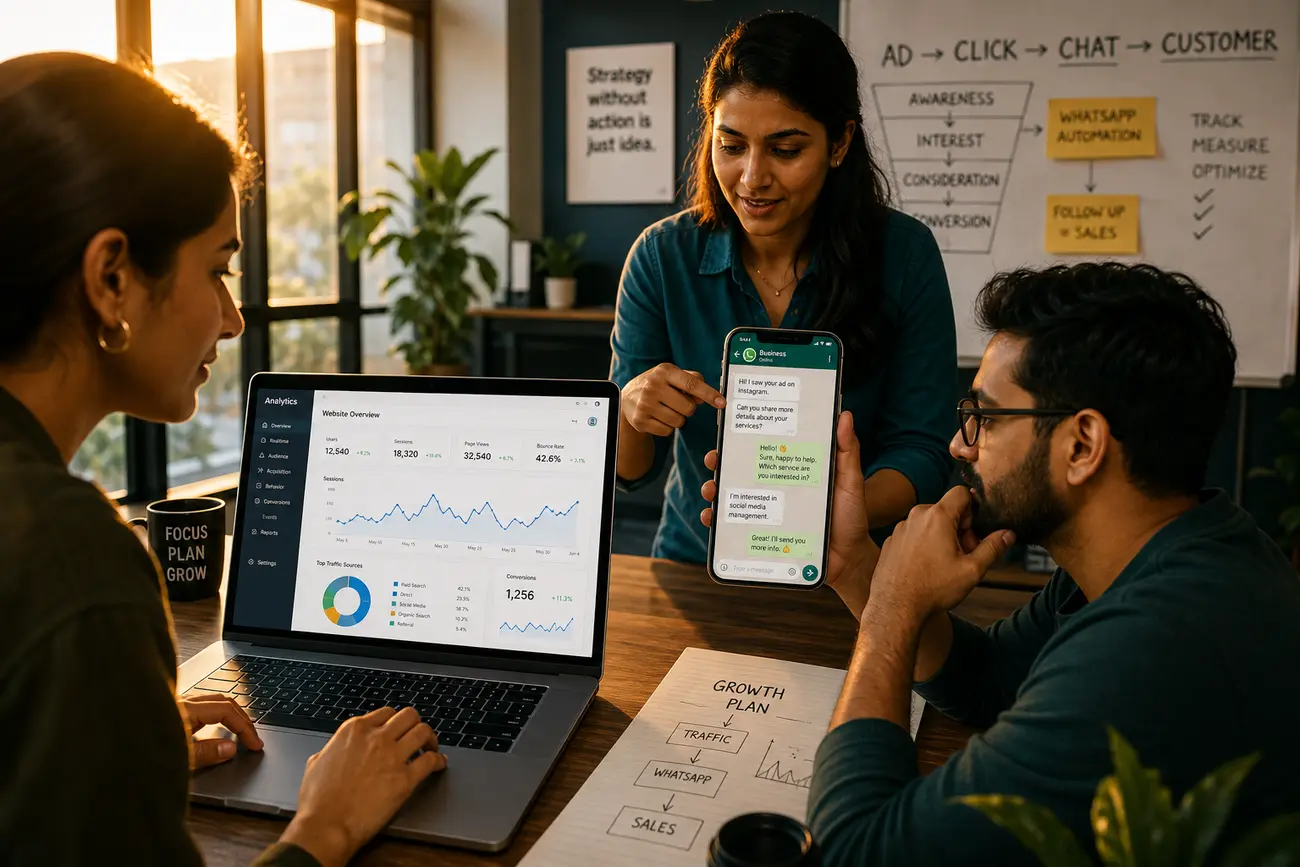
Your ideal flow should be simple enough for the team to follow every day: Meta ad or organic page visit, WhatsApp link or form submission, CRM entry, salesperson follow-up, qualification, appointment, proposal, and closed deal. The goal is not only to generate conversations but to make those conversations reportable.
Use UTM parameters, unique landing pages, pre-filled WhatsApp messages, and CRM notes to preserve source attribution. For example, a click to whatsapp ads meta campaign for a free consultation can use an opening message that identifies the campaign, while a website pricing page can use a different message. That small difference helps your team connect the eventual sale back to the original source.
Create lead stages such as new chat, contacted, qualified, proposal sent, won, and lost. Set notifications so no WhatsApp conversation or form submission sits unanswered during business hours. Review weekly metrics: WhatsApp chat volume, whatsapp form conversion rate, missed conversations, average response time, qualified leads, and sales by source.
Security and verification basics before you scale WhatsApp lead generation
Before scaling click to whatsapp ads meta campaigns, protect the account that receives the leads. WhatsApp verification codes confirm phone number ownership and should never be shared with anyone, including someone claiming to be from support. The 6 digit code sent by SMS is usually a temporary verification code used to confirm that you control the registered number.
A 6 digit PIN in WhatsApp usually refers to two-step verification. This PIN helps protect the account from unauthorized registration. A “WhatsApp code” can mean either a temporary login verification code or a two-step verification PIN, depending on the context.
You generally cannot safely log in to WhatsApp without a verification code when verification is required. Avoid third-party bypass methods and use only official WhatsApp and Meta recovery options. Limit linked device access, remove old devices, document who has access, and enable two-step verification before giving staff access to lead conversations.
FAQ
Can I open WhatsApp in a web browser?
Yes. Use WhatsApp Web in a browser and link it to your WhatsApp account from your phone through the linked devices option.
What is WhatsApp Web used for?
WhatsApp Web is used to send and manage WhatsApp messages from a desktop browser. It helps teams respond to leads faster, type longer replies, and manage more conversations efficiently.
Where is the QR code for WhatsApp Web?
The QR code appears on the WhatsApp Web login page. Open WhatsApp on your phone, go to linked devices, and scan the QR code to connect the browser session.
Can I link another phone to my WhatsApp?
Yes, WhatsApp supports linked devices, including additional devices in supported setups. For business use, control who has access and remove any device that is no longer needed.
What is a 6 digit PIN in WhatsApp?
It is commonly the two-step verification PIN. This PIN protects your WhatsApp account from unauthorized registration on another device.
Where is my 6 digit verification code?
The verification code is sent by WhatsApp through SMS or phone call to the registered phone number. Make sure the number can receive messages or calls.
What is the 6 digit code sent by SMS?
It is a temporary WhatsApp verification code used to confirm that you own or control the phone number being registered.
How can I login to my WhatsApp without a verification code?
You generally cannot safely log in without verification when WhatsApp requires it. Use official recovery options only, and never trust third-party tools that claim to bypass verification.
What is a WhatsApp code?
A WhatsApp code usually refers to either a temporary login verification code sent by SMS or call, or a two-step verification PIN created to protect the account.
Share Article
Your Digital Edge, Fully Automated
Spin up a cutting-edge website in minutes and preview it free - no signup, no credit card. Then keep growing it with MR.ROBOT's AI pipeline that writes, optimizes, and publishes SEO articles straight from your phone.
No signup. No credit card. You only pay when you love the result.