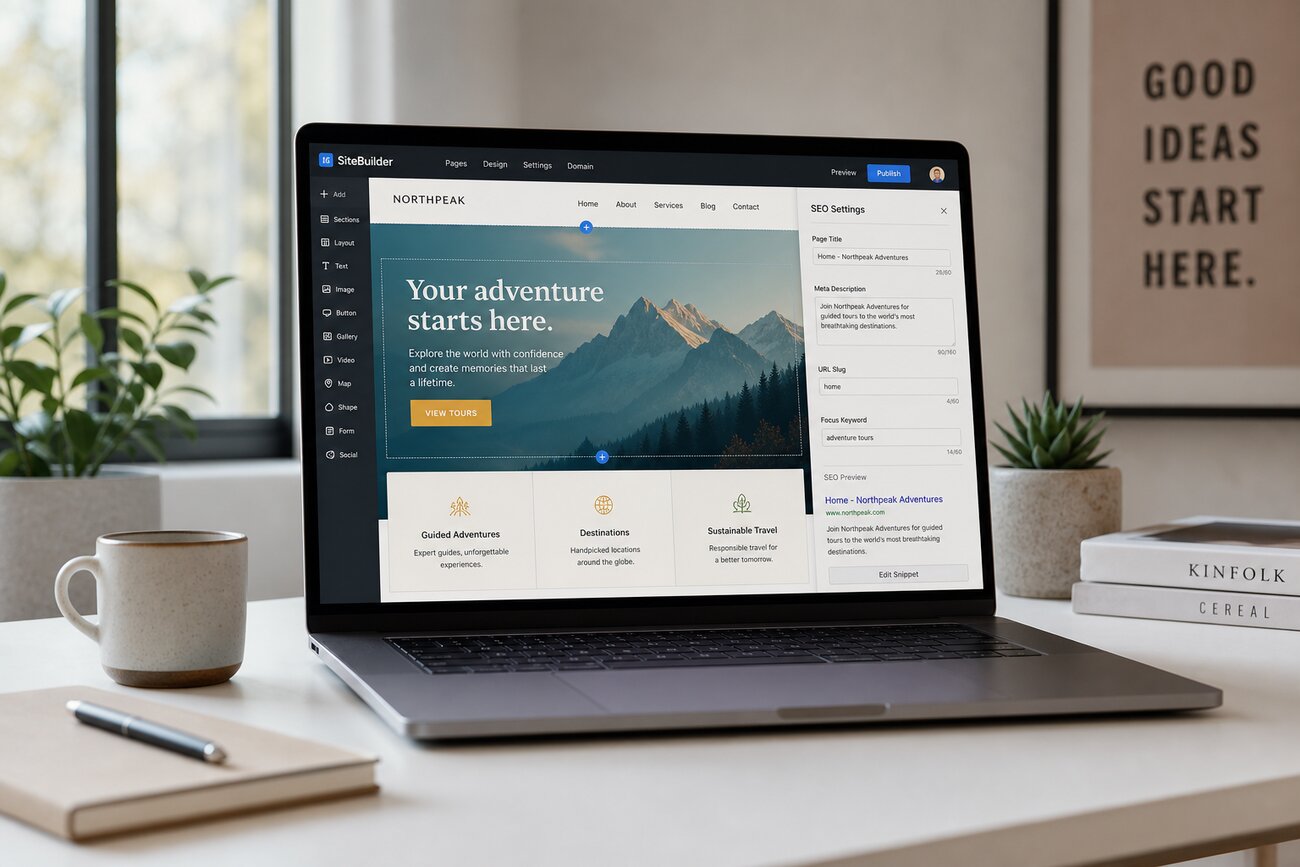
Launching with SEO already baked in is not just tidier; it changes the growth curve. A site built with the wix website builder can go live with crawlable pages, editable metadata, SSL, mobile layouts, and a sitemap already in place, while a slower team may still be waiting for a developer to clean up basics. That head start compounds because search engines need time, signals, and iteration.
Why the wix website builder changes the SEO clock from day one
The old workflow was wasteful: design the site, publish it, then discover that pages had missing title tags, messy URLs, weak mobile layouts, no redirects, and headings chosen for appearance rather than structure. SEO became a cleanup phase, often weeks after launch.
The newer builder model removes much of that gap. Modern platforms ship with crawlable pages, SSL certificates, mobile-responsive layouts, XML sitemaps, editable metadata, and basic indexing controls from the start. That does not guarantee rankings, but it removes technical excuses.
The compounding effect is simple. Every week a technically clean site is indexed is a week it can collect impressions, query data, click behavior, and ranking signals. A delayed site does not just launch later; it starts learning later.
What "SEO-ready in minutes" actually includes
SEO-ready should mean more than a checkbox in a dashboard. At minimum, you should be able to edit title tags, write meta descriptions, set clean URL slugs, add alt text, create redirects, connect analytics, generate an XML sitemap, use SSL, and control basic structured data options.
Good website templates matter because they pre-solve problems that beginners often create by accident. A well-built template gives you a sensible heading hierarchy, navigation that search engines can follow, and layouts that do not collapse on mobile screens.
Templates are not strategy, though. They will not choose profitable keywords, explain your offer clearly, or turn thin copy into useful content. Website templates are scaffolding; the work is still deciding what each page should rank for and why a visitor should trust it.
How much does Wix cost to build a website?
Wix has a free tier, so the cheapest answer is technically zero dollars. But a professional site usually needs a paid plan because you want a custom domain, no platform branding, stronger trust signals, and full access to the tools you will use after launch.
The better comparison is not free versus paid. It is subscription cost versus the cost of separate hosting, a visual design tool, plugins, security configuration, and technical SEO help. For many small teams, the wix website builder bundles enough of that infrastructure to make the monthly fee easier to justify.
You still pay with attention. The platform gives you settings, but you have to fill them correctly, connect Search Console, check indexability, and avoid publishing ten near-identical service pages because the editor made it easy.
Is Wix website builder completely free?
Yes, for basic publishing. You can build and publish a simple site without paying upfront. The problem is that free-tier limitations usually work against competitive organic search.
A free subdomain is harder to brand, platform ads reduce trust, and visitors may hesitate before contacting a business that looks unfinished. Those signals do not directly replace relevance or authority, but they affect how people behave when they land on the page.
If you plan to earn links, build a brand, or take indexing seriously, upgrade before the site begins accumulating attention. Migrating from a casual free setup to a serious search asset is possible, but it creates avoidable friction.
Which website is better than Wix? Comparing Hostinger AI and Durable AI
No single builder is universally better. The right choice depends on whether you care most about price, speed, flexibility, design control, content generation, or long-term extensibility.
The hostinger ai website builder is attractive when budget and speed matter. Hosting is bundled, AI-assisted setup can generate a first draft quickly, and the SEO settings are simple enough for a non-specialist to configure without getting lost.
The durable ai website builder is even more speed-first, especially for local service businesses. It can generate copy, page structure, and a basic business site quickly, which is useful when the alternative is not publishing at all.
Wix is stronger when you need broader design flexibility, more apps, and more mature SEO tooling. The trade-off is that there are more settings to manage, and more ways to over-design a page. A practical shortcut: choose Wix for flexibility, Hostinger for a budget AI-assisted launch, and Durable for the fastest simple service site.
The traffic advantage: why early SEO setup compounds
The winning sequence is boring but powerful: launch clean pages, get crawled, collect Search Console queries, refine titles and content, add internal links, publish supporting pages, then repeat. Each cycle is informed by real search data rather than guesses.
That is where early setup becomes an advantage. If your first version is indexable, you can see which queries Google associates with your pages, which pages earn impressions but not clicks, and which topics deserve deeper coverage.
Bolt-on SEO starts from a worse position. Metadata may be missing, headings may be broken, pages may load slowly, redirects may be absent, and thin pages may already be indexed. Before growth can begin, someone has to audit the mess and decide what to repair first.
Clean website templates help here too, because they reduce the number of layout and navigation problems you need to diagnose later. Less cleanup means more time spent improving pages that already have evidence behind them.
What is a disadvantage of using Wix?
The honest disadvantage is that convenience can become a ceiling. If you need unusual infrastructure, highly customized backend logic, advanced performance tuning, or complete control over deployment, a closed builder may feel restrictive.
There are also trade-offs around platform lock-in, ongoing subscription dependence, and potential template bloat. You can optimize a Wix site, but you cannot treat it like a hand-coded stack where every server, script, and build step is yours to control.
For small businesses, portfolios, landing pages, consultants, restaurants, and early-stage brands, those drawbacks often matter less than launching correctly and quickly. The risk is not that the platform is imperfect; it is using its convenience as an excuse to publish generic pages.
The bottom line: launch fast, then improve with data
The real advantage is removing the waiting room between idea and indexable site. A technically sound launch lets search engines crawl your pages while you refine copy, improve internal links, and learn which topics deserve more investment.
Publish the cleanest viable version now: clear page titles, useful headings, short URLs, fast mobile layouts, descriptive alt text, and analytics connected from day one. Then use real query data to decide what to rewrite, expand, merge, or link next.
SEO baked in from minute one starts tomorrow's growth curve sooner.
Share Article
Your Digital Edge, Fully Automated
Spin up a cutting-edge website in minutes and preview it free - no signup, no credit card. Then keep growing it with MR.ROBOT's AI pipeline that writes, optimizes, and publishes SEO articles straight from your phone.
No signup. No credit card. You only pay when you love the result.