A whatsapp lead generation campaign turns expensive paid clicks into immediate sales conversations instead of letting a new lead wait hours for a reply. In this guide, you’ll learn how to connect your website, forms, landing pages, WhatsApp, and CRM so every inquiry is captured, tracked, routed, and followed up while intent is still high.
Build a WhatsApp Lead Generation Campaign That Starts With the Click
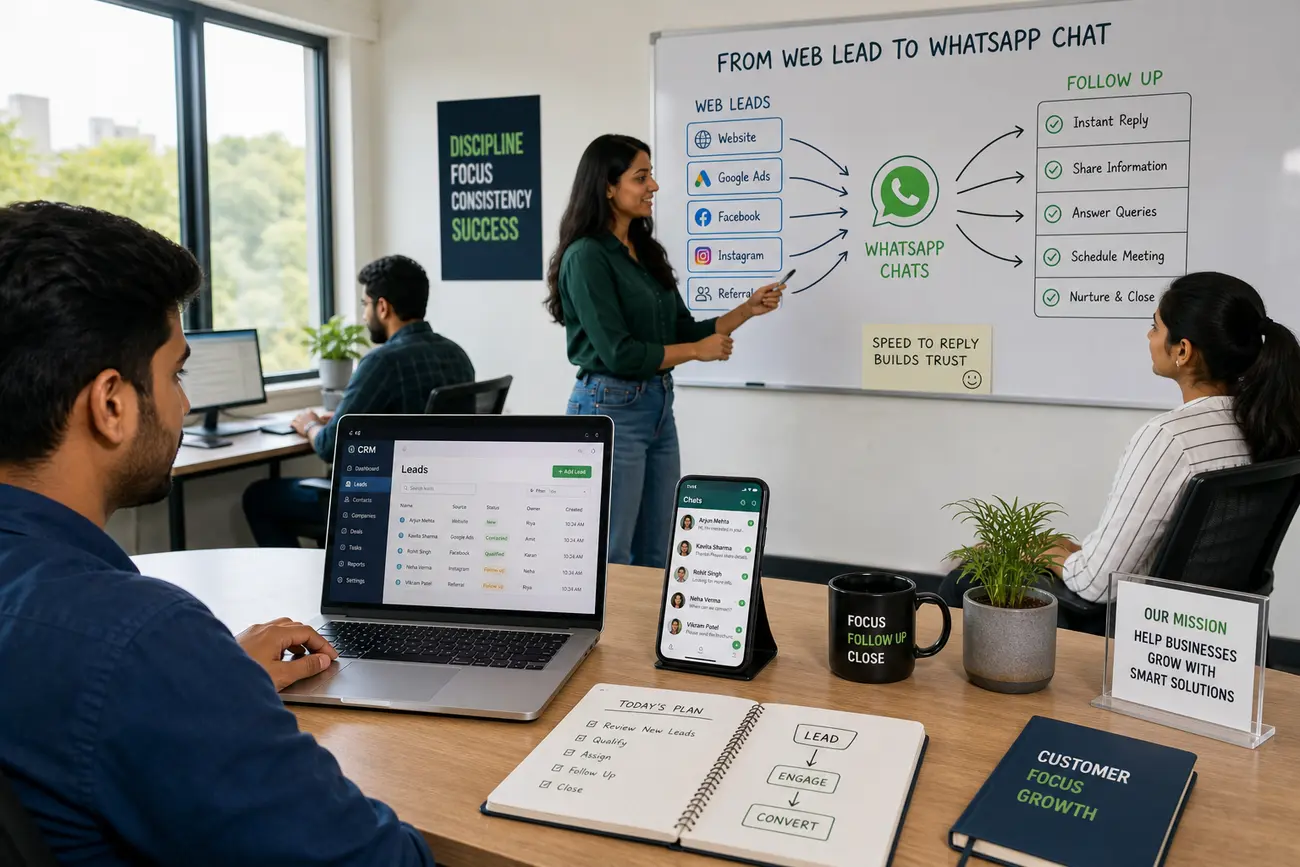
A strong WhatsApp lead generation campaign follows a simple path: someone clicks an ad or visits your website, sees a clear offer, starts a WhatsApp conversation, gets qualified, and receives fast sales follow-up. The goal is not just to get more clicks; it is to create more useful conversations with people who are ready to ask questions, compare options, request a quote, or book a call.
WhatsApp works well for small businesses because it removes friction. Many visitors do not want to complete a long form or wait for an email reply. A familiar chat experience feels faster and more personal, especially for service businesses, local providers, clinics, consultants, educators, real estate agents, and event-based offers.
Before launching, define what you will track: campaign source, landing page, offer, first message, assigned owner, lead status, and final outcome. Use one primary call to action per campaign. If the page asks visitors to fill out a form, click WhatsApp, book a call, and download a guide all at once, you reduce clarity. If you need help aligning content with buyer intent, this guide to SEO driven content that brings customers is a useful next step.
Connect Your Website Forms, Buttons, and Landing Pages to WhatsApp
Place WhatsApp click-to-chat buttons where intent is highest: pricing pages, service pages, product pages, contact pages, quote pages, and campaign landing pages. The button text should be specific, such as “Ask for a quote on WhatsApp,” “Check availability,” or “Talk to an advisor,” rather than a vague “Contact us.”
Use prefilled WhatsApp messages so your team understands the context immediately. For example: “Hi, I’m interested in the spring cleaning offer” or “Hi, I came from the Google ad and want pricing for the business package.” This small detail makes your WhatsApp lead generation campaign easier to track and much easier for sales staff to handle.
A contact form message is the message a visitor submits through your website form. It should capture the person’s question, contact details, consent to be contacted, and campaign context. Keep forms short, especially for quote, demo, appointment, or consultation requests. After submission, show a success message that confirms receipt, explains what happens next, and invites the lead to contact you on WhatsApp if the request is urgent.
Track Every WhatsApp Lead Back to the Campaign That Created It
Use UTM parameters on ads, email links, QR codes, social posts, and digital invitations so each lead can be connected to its source. You can also create separate WhatsApp links or prefilled messages for each campaign, offer, location, or audience. For example, a campaign for “wedding packages” should not use the same message prompt as a campaign for “corporate events.”
Store the source data in your CRM, spreadsheet, or marketing automation platform. Do not rely only on ad platform clicks because a click does not prove that a real sales conversation happened. Track practical metrics such as:
- Click-to-chat rate from landing pages and ads
- Form-to-chat rate after form submission
- First reply time from your team
- Booked calls or appointments
- Closed deals and revenue
- Cost per qualified WhatsApp lead
This is where a WhatsApp lead generation campaign becomes measurable. You stop asking, “Which ad got clicks?” and start asking, “Which campaign created qualified conversations and paying customers?”
Use WhatsApp Marketing Lead Generation Without Making Conversations Messy
WhatsApp marketing lead generation works best when conversations are structured without feeling robotic. Set qualification questions for each lead type. A service business may ask about location, budget, timeline, and the service needed. A B2B company may ask about company size, decision-maker status, current solution, and urgency.
Create message templates for first replies, follow-ups, reminders, handoffs, and reactivation. Templates save time, but they should still sound human. Segment leads by status: new inquiry, quote requested, appointment booked, inactive, won, or lost. If several people manage the same inbox, use labels, lists, CRM stages, or ownership rules so no conversation disappears.
Consent matters. If someone contacted you through a form or ad, that does not automatically mean they want ongoing promotional WhatsApp messages. Make consent clear before sending campaigns, offers, or broadcast-style updates. A clean WhatsApp lead generation campaign protects trust as well as response speed.
Connect ActiveCampaign and WhatsApp for Cleaner Automation and Routing
ActiveCampaign can act as the system of record for contact details, campaign source, lead score, tags, deals, and follow-up workflows. When people search for activecampaign and whatsapp, they usually want one thing: a cleaner way to move leads from interest to follow-up without copying information manually.
Common automation triggers include a form submission, a tag being added, a deal being created, an email click, or a lead score reaching a threshold. High-intent leads can be routed to a sales rep immediately, while lower-intent leads can enter an email or WhatsApp nurturing sequence. For example, someone who requests pricing should trigger a faster alert than someone who downloads a general guide.
You can connect ActiveCampaign and WhatsApp through native integrations where available, webhooks, Zapier-style connectors, or WhatsApp Business API providers. The right setup depends on your budget, message volume, and compliance needs. At minimum, create internal alerts so a new WhatsApp lead gets a reply within minutes, not hours.
Write Follow-Up and Thank-You Messages That Move Leads to the Next Step
A good thank-you message after a form submission confirms receipt, sets expectations, and gives the lead a faster path if needed. For example: “Thanks, we received your request. Our team will review it and reply within one business day. If you need a faster answer, message us on WhatsApp and mention your request.” This reduces uncertainty and keeps momentum high.
Use short WhatsApp scripts for common moments in the buyer journey:
- First response: “Hi, thanks for reaching out about [offer]. I can help. What location and date do you need?”
- Missed response: “Just checking in. Would you still like help with [service]?”
- Quote follow-up: “Hi, I sent the quote for [package]. Do you want me to adjust it or reserve a time?”
- Appointment confirmation: “Your appointment is confirmed for [date/time]. Please send any details or photos before then.”
- Reactivation: “Hi, we spoke earlier about [interest]. Are you still planning to move forward this month?”
Personalize each message with the campaign offer, product interest, name, or location when available. End with one clear next action: book a call, send a photo, confirm availability, choose a package, or reply with a preferred time.
Review, Optimize, and Scale the System After the First Campaign
Audit the full journey weekly: ad promise, landing page message, WhatsApp prompt, sales response, CRM status, and final outcome. Look for the weak point. If the click-to-chat rate is low, the page may not make the offer clear. If many people start chats but few book calls, your qualification or follow-up may need work. If leads are good but sales are slow to reply, fix routing before spending more on ads.
A/B test landing page calls to action, prefilled WhatsApp messages, form length, and thank-you page prompts. For event-based campaigns or digital invitations, use trackable links, QR codes, and dedicated WhatsApp prompts instead of generic messages. If you are creating a party invite, the best platform depends on the job: Canva is useful for free design, Evite and Paperless Post are strong for RSVP-style invitations, and Zazzle may offer digital downloads on some products, but availability varies by design and seller, so check the product page before buying.
To create a digital invitation card for free, use a free template tool, add the event details, include a clear RSVP button, and connect that button to a prefilled WhatsApp message. Scale your WhatsApp lead generation campaign only when your team can respond quickly and report which sources create qualified conversations, booked appointments, and revenue.
FAQ
What is a contact form message?
A contact form message is the message a visitor submits through a website form. It usually includes the person’s name, contact details, question or request, consent to be contacted, and campaign context such as the landing page or offer they came from.
What is a success message?
A success message is the confirmation shown after a visitor submits a form. It tells the lead that the form was received, what will happen next, how long a reply may take, and whether they can use WhatsApp for faster help.
What is a good thank you message for submitting a form?
A good thank-you message is short and specific: “Thanks, we received your request. Our team will reply within one business day. For urgent help, message us on WhatsApp and mention your request.” It confirms receipt, sets expectations, and gives one clear next step.
How do I track leads from a WhatsApp campaign?
Track WhatsApp leads with UTM links, campaign-specific landing pages, unique WhatsApp prompts, CRM tags, and separate links for ads, emails, QR codes, and social posts. Then measure conversations, response time, booked calls, closed deals, and cost per qualified lead.
Can I connect ActiveCampaign and WhatsApp?
Yes. You can connect ActiveCampaign and WhatsApp through integrations, webhooks, automation platforms, or WhatsApp Business API providers. The setup can sync contacts, add tags, create deals, trigger alerts, and route high-intent leads to the right sales person.
How do I create a party invite that drives WhatsApp responses?
Create a digital invitation with the event name, date, time, location, RSVP deadline, and one clear WhatsApp RSVP button. Use a trackable link or QR code and prefill the WhatsApp message, such as “Hi, I’m confirming attendance for [event name].”
Share Article
Your Digital Edge, Fully Automated
Spin up a cutting-edge website in minutes and preview it free - no signup, no credit card. Then keep growing it with MR.ROBOT's AI pipeline that writes, optimizes, and publishes SEO articles straight from your phone.
No signup. No credit card. You only pay when you love the result.