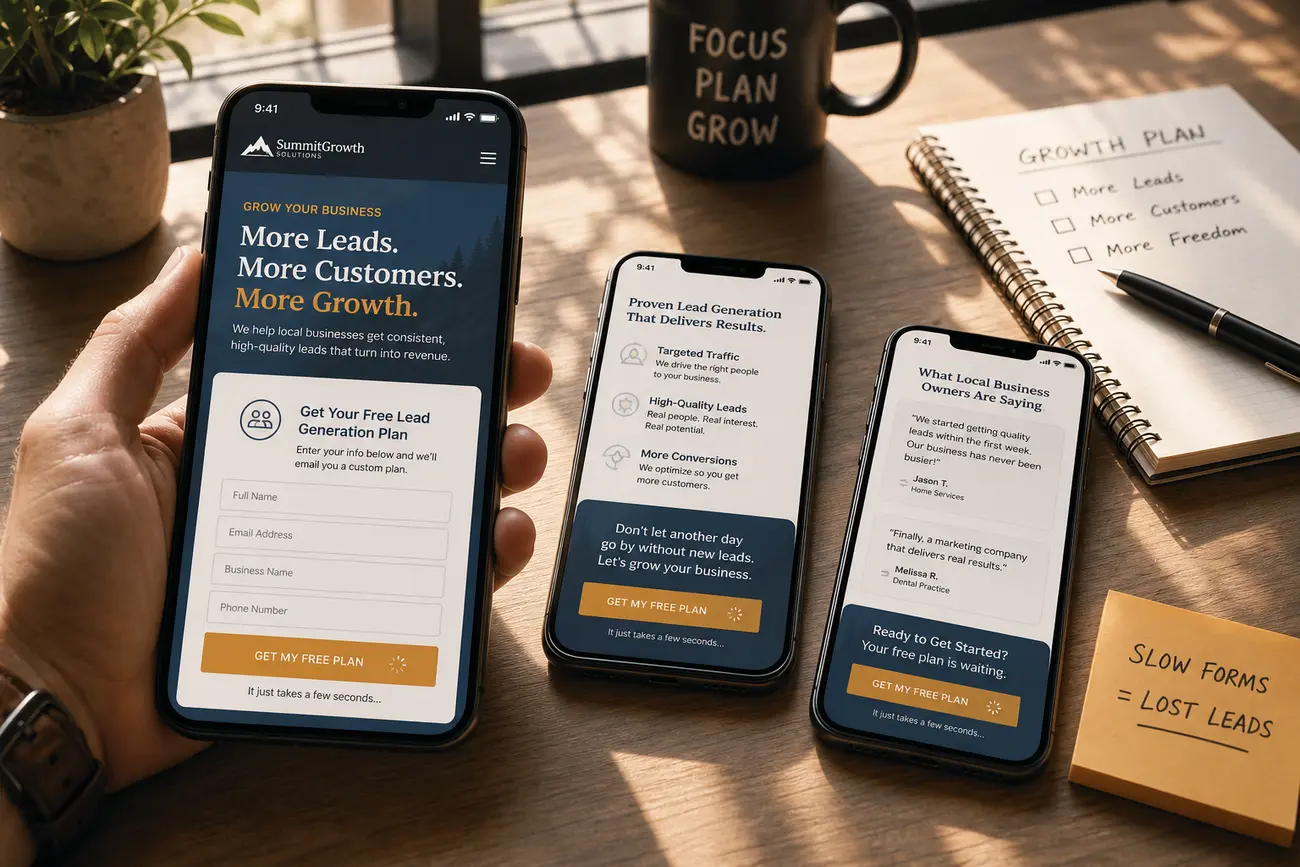
A mobile friendly website does not lose leads because people dislike your brand; it loses them because small friction points make busy visitors abandon before they call, submit, book, or message you. This guide shows you how to find those mobile conversion blockers and fix the pages, forms, calls to action, trust signals, and handoffs that turn existing mobile traffic into qualified leads.
What a Mobile Friendly Website Must Do for Lead Generation
For lead generation, a mobile friendly website is more than a page that shrinks to fit a phone. It must help a visitor take action quickly on a small screen, often with one thumb, limited time, and several competitors open in other tabs.
The most important mobile lead actions are simple: tap to call, submit a short form, request a quote, book an appointment, get directions, or start a WhatsApp conversation. Mobile visitors are often local, distracted, comparison-shopping, or ready to act immediately, so every unnecessary step costs you opportunities.
The goal is not just a cleaner design or a better testing score. The real success metric is more qualified leads from the same mobile traffic.
Diagnose Mobile Conversion Blockers Before Redesigning
Before redesigning, review mobile data separately from desktop. Look at mobile conversion rate, bounce rate, form starts, form completions, click-to-call taps, WhatsApp clicks, and primary CTA clicks. A service page may attract interest but fail to move users to the contact step, while a contact page may fail because the form is too long.
Use session recordings and heatmaps to spot rage taps, dead taps, excessive scrolling, and form abandonment. Then test on real devices, not only a browser preview. A mobile website viewer is useful for quick layout checks across common screen sizes, but real phones reveal issues like sticky buttons covering fields, broken tap-to-call links, and slow mobile keyboards.
A quick search-intent note: questions such as “Why are so many customers leaving T-Mobile?”, “What is Life with T-Mobile?”, “Is T-Mobile at Walmart?”, and “Does T-Mobile have good coverage?” are about the telecom brand, not mobile web design. Customers may leave any carrier because of pricing, service, coverage, or competing offers; T-Life is T-Mobile’s app for account features and perks; T-Mobile products may be available at many Walmart locations depending on inventory; and T-Mobile coverage is broad in many areas but should be checked locally. For your website, the lesson is to separate unrelated mobile queries from lead-generation intent.
Fix Speed First: Slow Mobile Pages Kill Leads
Speed is often the first mobile conversion blocker because visitors may leave before they see your offer or CTA. A mobile friendly website should load the main message and action quickly, especially on service pages, location pages, and paid search landing pages.
Start with practical fixes: compress oversized images, remove unnecessary scripts, reduce plugin bloat, use caching, and improve hosting if the server is slow. Be careful with heavy sliders, autoplay videos, large hero images, chat widgets, and tracking scripts that delay the first meaningful action.
Think of Core Web Vitals in plain English: the page should load fast, not jump around while loading, and respond quickly when someone taps. After every major design, plugin, tracking, or content change, test important lead pages with a mobile friendly test site and speed tools.
Make Calls, CTAs, and Tap Targets Impossible to Miss
Your primary mobile CTA should appear above the fold and return naturally after key decision points. Use action-specific copy such as “Call Now,” “Get a Quote,” “Book a Free Estimate,” or “Message Us on WhatsApp” instead of vague labels like “Submit” or “Learn More.”
Buttons must be large enough to tap comfortably, with enough spacing to prevent accidental clicks. Sticky mobile CTAs can work well, but only if they do not cover form fields, cookie notices, chat boxes, or important proof points.
Check that phone numbers open the dialer, map links open directions, email addresses open the mail app, and WhatsApp buttons open the correct conversation. For more detail on CTA wording and placement, see How to Write Calls to Action That Convert Visitors Into Leads.
Shorten Mobile Forms Without Lowering Lead Quality
Mobile forms should ask only for the information needed to start the sales conversation. If your sales team can qualify the lead by phone, do not force the visitor to complete a long questionnaire before they can ask for help.
Use a single-column layout, reduce required fields, enable autofill, and set the correct mobile keyboard for phone, email, and number fields. Avoid dropdown-heavy forms when buttons, radio options, or progressive disclosure would be faster.
Add reassurance near the form: response time, privacy note, no-obligation language, or a short explanation of what happens after submission. Track form starts versus completions so you can see the exact field or step where people abandon.
Build Trust Fast on Small Screens
Trust signals must appear earlier on mobile because many visitors will not scroll through a full desktop-style page. Place concise proof near CTAs: reviews, star ratings, license numbers, guarantees, years in business, local service areas, or recognizable client logos where appropriate.
Use truthful, specific proof such as “same-day response available” or “licensed and insured in [service area]” when accurate. Real photos of your team, vehicles, office, or completed work usually build more confidence than generic stock images.
Keep copy scannable with short paragraphs, bullets, and clear subheadings so visitors can validate the business quickly. If you want to strengthen credibility across the page, read How to Use Social Proof to Increase Website Conversions.
Create a Smooth WhatsApp, Call, and Booking Handoff
Mobile lead generation often continues outside the website after the first tap. A visitor may call, open WhatsApp, request directions, or enter a booking tool, so each handoff must feel seamless.
Set up WhatsApp links with prefilled messages so people do not have to type from scratch. Make sure call tracking does not break tap-to-call functionality or display confusing numbers. If you use online booking, keep the flow mobile-first: fewer steps, clear availability, simple confirmation, and reminders that reduce no-shows.
Connect calls, chats, forms, and bookings to your CRM or lead tracking system. Otherwise, you may optimize only for form submissions while missing the channels that produce your best customers.
Test, Measure, and Improve Mobile Leads Continuously
Improving a mobile friendly website is an ongoing process, not a one-time redesign. Create a monthly checklist covering speed, forms, CTAs, tracking, device testing, broken links, and lead quality.
Run focused A/B tests on CTA wording, button placement, form length, trust signals, and WhatsApp versus form prompts. Segment results by traffic source because paid search, local SEO, social, and referral visitors often behave differently on mobile.
Review actual lead outcomes with sales teams or business owners. A page that generates more inquiries is not better if those inquiries are low quality. Start with the highest-friction page, improve it, measure the impact, then repeat the process across the rest of the site.
FAQ
What makes a mobile friendly website better at generating leads?
It loads quickly, makes CTAs easy to tap, uses short forms, builds trust fast, and supports the actions mobile visitors prefer: calls, messages, bookings, quote requests, and directions.
How can I test whether my lead generation site works well on mobile?
Check mobile analytics, review form starts and completions, use a mobile website viewer for layout checks, run key pages through a mobile friendly test site, and test real devices to confirm CTAs, calls, maps, and forms work correctly.
What is the biggest reason mobile visitors do not convert?
The biggest reason is friction. Common causes include slow pages, unclear CTAs, tiny tap targets, hard-to-use forms, distracting popups, weak trust signals, and handoffs that fail after the first tap.
Should a mobile lead generation website use forms, phone calls, or WhatsApp?
Offer the channel that matches visitor intent. Urgent local services often need calls, considered purchases may need forms or bookings, and conversational inquiries may work well through WhatsApp. Track each option so you know which produces qualified leads.
How often should I review mobile conversion performance?
Review key mobile metrics at least monthly and after any website, plugin, tracking, campaign, or offer change. Small changes can affect speed, CTA visibility, forms, and lead tracking.
Share Article
Your Digital Edge, Fully Automated
Spin up a cutting-edge website in minutes and preview it free - no signup, no credit card. Then keep growing it with MR.ROBOT's AI pipeline that writes, optimizes, and publishes SEO articles straight from your phone.
No signup. No credit card. You only pay when you love the result.